Guides
Music studio equipment checklist: counts for day one
A music studio equipment checklist by the numbers: inputs, headphones, cables and spares sized to the largest session you have accepted, plus the safety kit.
What to take away
- Size day-one gear to the largest session you have accepted, not the average one. Inputs, headphones and cables are counted from that session.
- The items that stop a session are boring onesa spare cable, a working headphone amplifier, a drive with space on it. Count spares of each.
- Buy against work already booked. Capability bought in advance of demand is capital sitting in a rack.
- Safety and hearing items belong on the equipment list, not on a separate list nobody reads.
- Write the serial numbers down as things arrive. Nobody has ever done this afterward and enjoyed it.
Size the list to the largest session
Start from the largest session you have accepted and count back to the gear. The number of clean inputs, headphones and cables follows from who is in the room and what they play, not from a catalog or a wish list.
Four to eight clean inputs covers a typical singer-songwriter or small band date. Book drums and you need sixteen or more. The reasoning behind the order of purchases, room first and then the signal path, is in the equipment and setup guide.
The day-one counts
Tick nothing on the strength of a plan. Tick it when the item is in the building, working, and logged. The counts below are typical starting points, and the largest booked session sets the final number.
| Item | Day-one count | Spare |
|---|---|---|
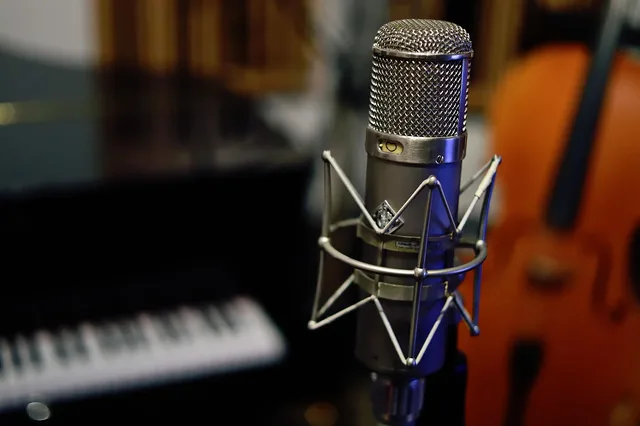
| Microphones | Two or three: a large diaphragm condenser, a dynamic, and a small diaphragm condenser, which cover most vocals, guitar, and drums | One spare of each |
| Stands, clips and shock mounts | To match every microphone | One spare of each |
| Clean inputs | Four to eight for a singer-songwriter or small band date; sixteen or more for drums | Enough for the largest session accepted |
| Headphones and cue system | One pair for everyone in the room; four to six is a typical start for a small band | A cue system able to feed them all |
| XLR cables | Eight to twelve | A labeled spare of every type |
| TRS cables | Four to six | A labeled spare of every type |
| Instrument cables | As the session needs | Two spares |
| Session drive | Real space on it; two drives if you track live | A backup routine that runs without anyone remembering it |
| Monitors | A pair, positioned and listened to | A reference level you can return to |
Day one session essentials
- Room treatment and quiet recording space
- Two or three microphones for sources
- Stands, clips, shock mounts plus spares
- Preamps and conversion with clean inputs
- Computer headroom and session drive space
- Monitors positioned with reference level
- Headphones and cue system for everyone
- Cables plus labeled spare of every type
The counts assume a room worth recording in. Treatment adequate for the work you have booked, and a room quiet enough to record in, come before any microphone, and where treatment pays off shows where to place it.
Spares that keep a session running
Cables are the cheapest item on the list and the most common cause of a session stopping, so keep a labeled spare of every type, and more than you think. A session that stops for a lead costs more than every lead in the drawer.
Add one spare microphone of each type with its stand, clip and shock mount, plus spare batteries, spare fuses, and a soldering iron with someone who can use it. The boring items decide whether a session runs.
Two external backup drives mean one can be off-site while the other is in use. The daily operations checklist puts the backup into the routine, so the copy outside the building exists whether or not anyone remembers it.
Logging what arrives
Log each item when it arrives, with the serial number, the date and the place it lives. A studio that logs on arrival knows what it owns the day something goes missing, and a studio that logs afterward does not.
- Label every cable, port and patchbay point. An unlabeled patchbay costs an hour a week forever.
- Write the default state of the patch and keep it beside the patchbay, so the next session does not open on a chain nobody can explain.
- Record the serial number and the date as each item comes through the door.
- Keep a maintenance log, on paper if that is what gets used.
Safety items on the same list
Put hearing protection, a first aid kit, a fire extinguisher appropriate to electrical equipment, and clear egress from every room on the equipment list. They belong beside the cables, not in an appendix that nobody opens.
For hazard checks, the Occupational Safety and Health Administration's safety management guidance says that finding and fixing hazards before they cause injury or illness is a far more effective approach than waiting for a problem.
Long days at high levels are this trade's occupational hazard, and the damage does not announce itself. OSHA says the main elements of an effective hearing conservation program include exposure monitoring, audiometric testing, hearing protection, and training, where it applies.
Stock protection, set a working level, and make the rule part of how anyone new is brought into the room. That is where the hiring and training guide begins.
When the counts need to grow
By the tenth session the calendar has told you something a catalog cannot. Let it decide what to add next, and buy against work already booked.
Observations and equipment needs
What you observe
- Drummers keep booking
- More inputs, isolation, mic options
- Vocalists book most hours
- Second quiet space, better cue mixes
- Clients bring their own engineer
- Clear patching, documented defaults, headphone feeds
- Sessions run long
- Spare stands, pre-rigged looms, second cue box
- Mix work is growing
- Treatment behind listening position, conversion, monitoring
- Location work appears
- Portable interface, cases, insurance conversation
What it usually means
- Drummers keep booking
- Vocalists book most hours
- Clients bring their own engineer
- Sessions run long
- Mix work is growing
- Location work appears
Extra inputs and conversion make sense once drum tracking is regular. A better cue system or more headphone mixes make sense when the room fills up. A spare interface or converter makes sense if downtime costs sessions, and a second computer waits until the first has actually delayed one.
Anything bought because it will be needed when the studio grows is a question for the expansion decision, and it will look different when you get there. Used gear lowers the cost of the items that do earn a place.
Common questions
What is the smallest set of gear that can run a paying session?
A treated room, a microphone appropriate to the source, clean gain and conversion, a stable computer, monitoring you trust, and enough headphones for everyone playing. Everything else is preference until a client asks for it.
Should I buy the best microphone I can afford first?
No. Spend that money on the room and on monitoring. A better microphone in a poor room is audibly worse than a modest one in a good room.
How many spare cables is enough?
More than you think. Cables are the cheapest item on the list and the most common cause of a session stopping.
When should I replace a computer?
When it has cost you session time, not when a newer one is released. Log the incidents, and let the log decide.